
Margin and Markup Calculator
Turn any two of cost, price, margin and markup into the rest, and find the price that still keeps your margin once the fees have been taken.
Updated 30 October 2026.
The Margin and Markup Calculator is a free tool that works out margin, markup, price and cost from any two of them, and converts margin to markup and back. It also shows the price that keeps your margin after platform fees, card fees and shipping, and what each discount does to your profit.
- Any two figures. Cost and price, cost and the margin you want, and so on.
- After fees. The price that keeps your margin, or a plain no when nothing can.
- Discounts. The profit at each one, and where it reaches zero.
The answer
Your margin
Example: markup 150.0% on a $12 cost and a $30 price
After the fees and shipping you entered:
A 60.0% margin needs a 150.0% markup. Marking the cost up by 60.0% instead would leave only a 37.5% margin.
Whatever you type here is not saved or sent anywhere. We never see it, and it is gone when you close the page. Margins here are before overheads such as rent and software.
Margin vs markup, on one picture
The same sale, measured two ways. Every dot is 1% of the selling price: blue dots are what the item cost you, green dots are what you keep.
DOT WAFFLE · ONE DOT = 1% OF THE SELLING PRICE · RINGED DOTS = WHAT THE PROFIT IS DIVIDED BY
Margin divides the green dots by all 100 dots, the whole price: 60 of 100 is a 60.0% margin. Switch to markup view to see the same profit divided by the cost instead.
What a discount does to your margin
Every discount comes straight out of the profit, not the price. The table uses the price and cost above, and the fees if you added them.
Profit left on one sale at each discount.
RUNG BARS · RED MEANS THE SALE LOSES MONEY
| Discount | Price | Profit | Margin | Profit lost |
|---|
Margin to markup converter
Type either one and the other fills in. Same price, two ways of describing it.
Profit as a share of the price.
Profit as a share of the cost.
Margin to markup chart
| Margin | Markup needed |
|---|---|
| 5% | 5.3% |
| 10% | 11.1% |
| 15% | 17.6% |
| 20% | 25.0% |
| 25% | 33.3% |
| 30% | 42.9% |
| 35% | 53.8% |
| 40% | 66.7% |
| 45% | 81.8% |
| 50% | 100.0% |
| 55% | 122.2% |
| 60% | 150.0% |
| 65% | 185.7% |
| 70% | 233.3% |
| 75% | 300.0% |
| 80% | 400.0% |
| 85% | 566.7% |
| 90% | 900.0% |
Markup to margin chart
| Markup | Margin it gives |
|---|---|
| 10% | 9.1% |
| 15% | 13.0% |
| 20% | 16.7% |
| 25% | 20.0% |
| 30% | 23.1% |
| 40% | 28.6% |
| 50% | 33.3% |
| 60% | 37.5% |
| 75% | 42.9% |
| 100% | 50.0% |
| 150% | 60.0% |
| 200% | 66.7% |
| 300% | 75.0% |
| 400% | 80.0% |
The formulas, ready for Excel or Google Sheets
Put the cost in A2, the price in B2, a margin in C2 and a markup in D2, with the percentages formatted as percent.
| To find | Formula | Spreadsheet |
|---|---|---|
| Profit | price − cost | =B2-A2 |
| Margin | (price − cost) ÷ price | =(B2-A2)/B2 |
| Markup | (price − cost) ÷ cost | =(B2-A2)/A2 |
| Price for a margin | cost ÷ (1 − margin) | =A2/(1-C2) |
| Price for a markup | cost × (1 + markup) | =A2*(1+D2) |
| Markup from margin | margin ÷ (1 − margin) | =C2/(1-C2) |
| Margin from markup | markup ÷ (1 + markup) | =D2/(1+D2) |
New to this? Read a short explanation first
Margin and markup both describe the same profit, measured against different things. Markup starts from what the item cost you and asks how much you added on top. Margin starts from what the customer paid and asks how much of it you kept.
Take a mug that costs you $6 and sells for $10. You make $4. Against the cost that is a 66.7% markup; against the price it is a 40% margin. Neither number is wrong. They just answer different questions, and the trouble starts when one is used where the other was meant.
The classic slip is wanting a 40% margin and adding 40% to the cost. On the $6 mug that gives $8.40, which keeps only $2.40, a 28.6% margin. To keep 40% of the price you divide the cost by 0.6 instead, and charge $10.
Fees widen the gap. A marketplace and a card processor each take a percentage of the whole sale, so a margin that looked healthy on paper shrinks by those percentages before anything reaches your account. The fees section above works that in, and tells you the price that still leaves the margin you want.
Read more on pricing and inventory: markup, margin and when to reorder, and the templates for it.
The Margin and Markup Calculator above prices one product. A whole range needs the sums kept somewhere.
Pricing Calculator
Margins drift. A supplier puts materials up, a platform changes its fees, and a price that was right in spring quietly earns less by autumn. Nothing tells you until you work it out again.
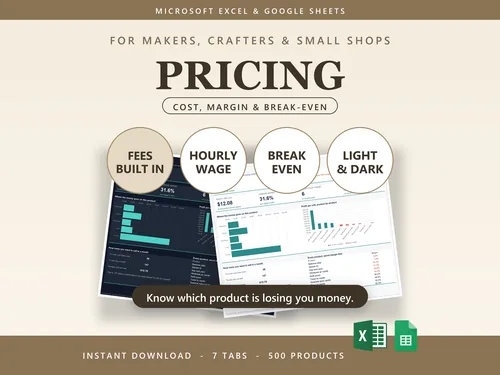
It holds the cost and price of every product you sell, works out the margin on each, and flags anything trading below the margin you wanted. The Product Profit Tracker then checks each real order after fees. Excel and Google Sheets, nothing locked.
Related: the Etsy fee calculator works out every Etsy fee on one sale, and the break-even calculator tells you how many sales cover your fixed costs.
Questions people ask
What is the difference between margin and markup?
Both compare profit with something, but not the same thing. Margin is profit divided by the selling price. Markup is profit divided by the cost. An item that costs $60 and sells for $100 makes $40, which is a 40% margin and a 66.7% markup. Same sale, two percentages, and mixing them up is how prices end up too low.
How do I convert margin to markup?
Divide the margin by one minus the margin: markup = margin / (1 - margin). A 40% margin is 0.4 / 0.6, a 66.7% markup. To go the other way, margin = markup / (1 + markup), so a 50% markup is 0.5 / 1.5, a 33.3% margin. The converter above does both as you type.
What markup gives a 50% margin?
100%. To keep half of the selling price, you have to double the cost: a $20 item sells for $40. A 50% markup on the same item gives $30, which is only a 33.3% margin.
How do I price a product for a 30% margin?
Divide the cost by one minus the margin. On a $100 cost that is 100 / 0.7, so $142.86. Adding 30% to the cost gives $130, which is only a 23.1% margin, because the margin is measured on the price and not the cost.
Can margin be more than 100%?
No. Margin is a share of the selling price, and you cannot keep more than the whole price. Markup has no ceiling: a 300% markup is a 75% margin, and a 900% markup is a 90% margin.
What is the difference between gross margin and net margin?
Gross margin takes only the cost of the item away from the price. Net margin takes away everything else the business pays as well, such as rent, software and wages. This calculator gives the gross figure from cost and price, and the fees section shows the margin after selling fees and shipping, which is closer to what reaches your account but still before overheads.
How do I calculate margin in Excel or Google Sheets?
With the cost in A2 and the price in B2, margin is =(B2-A2)/B2 and markup is =(B2-A2)/A2. Format both cells as percentages. The table of formulas on this page lists the rest, including the price for a target margin.
What does a discount do to my margin?
More than it looks. An item that costs $60 and sells for $100 has a 40% margin. At 20% off it sells for $80, makes $20 instead of $40 and drops to a 25% margin, so a fifth off the price halves the profit. At 40% off it makes nothing. The discount table above works this out for your own figures.