Mileage Tracker
Every business mile, logged and deduction-ready.
A mileage log template for self-employed drivers and business owners who lose real deductions every year to an empty or reconstructed log.
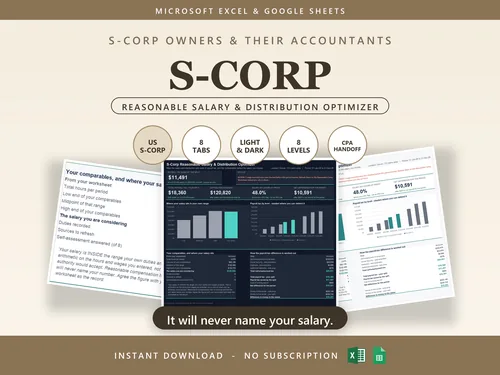
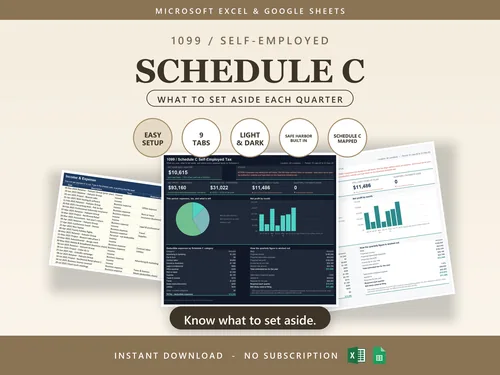
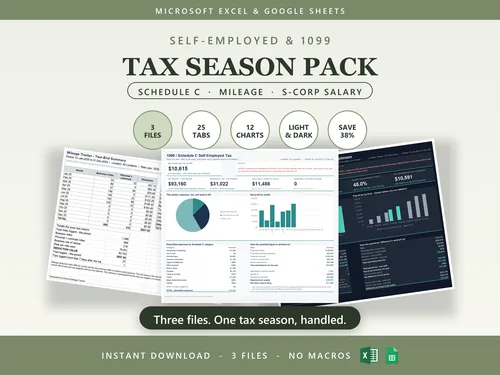
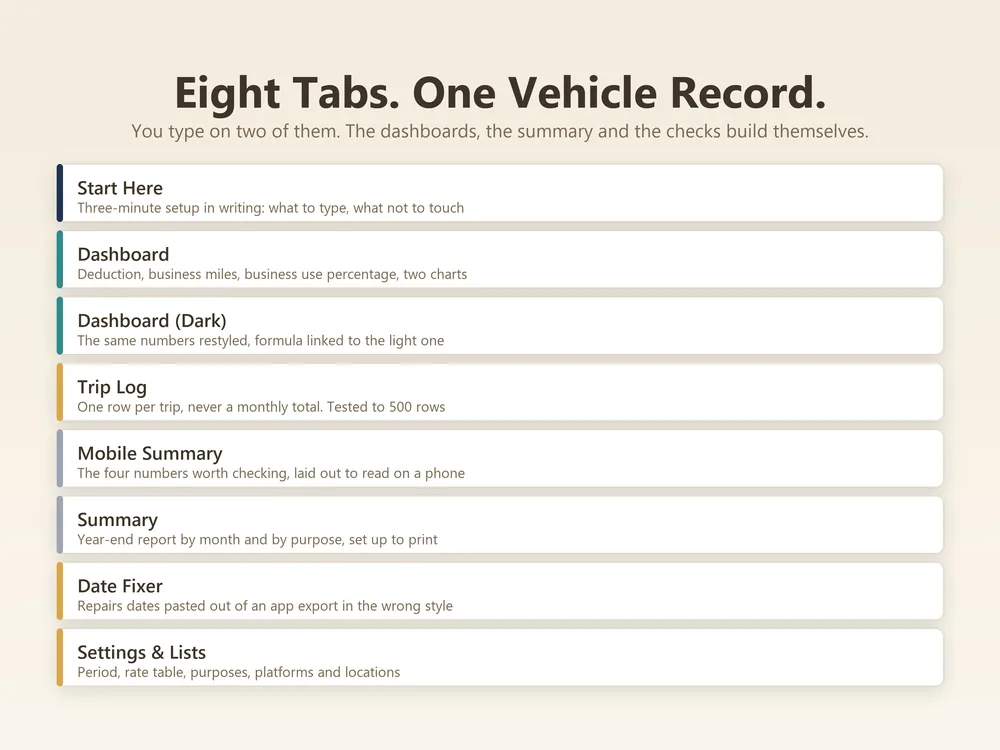
Mileage Tracker is an 8-tab Excel and Google Sheets workbook. 2 you type into, 4 calculated from those and 2 you set once. No macros, so it opens without a security warning.
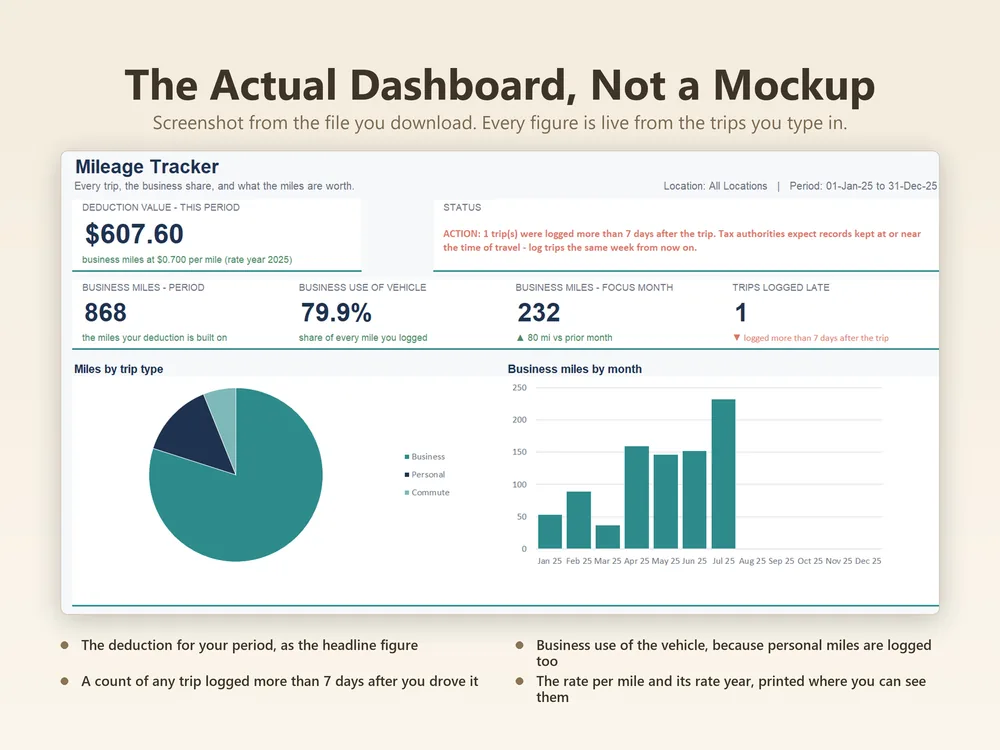
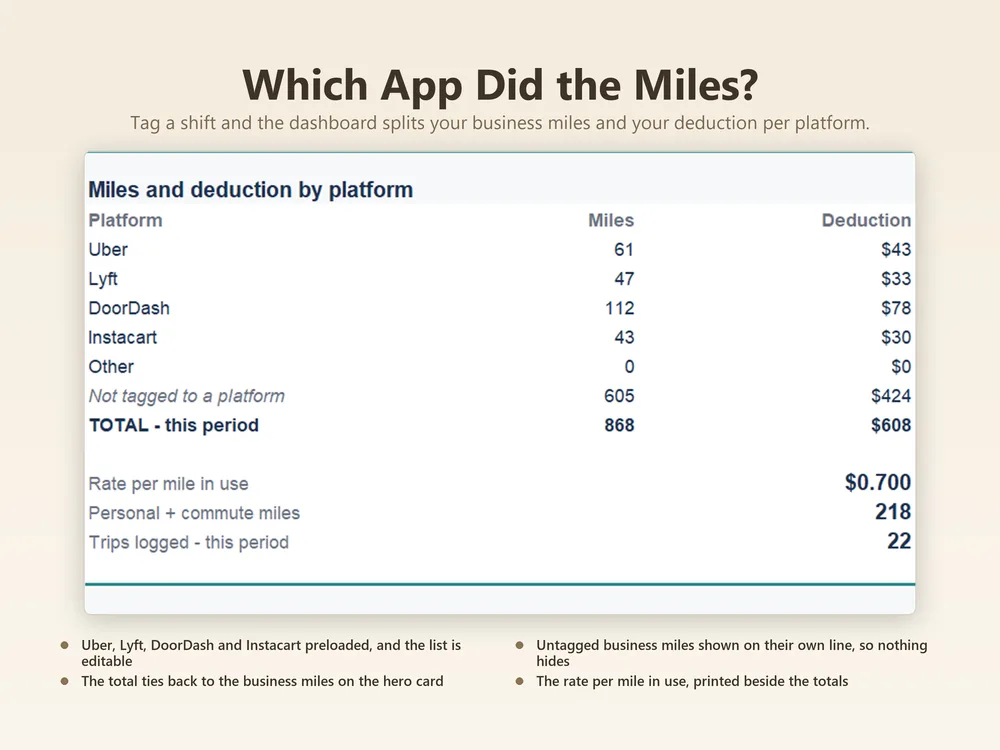
- Dashboard Business miles for the period, business use of the vehicle as a percentage, miles for the month you pick, and how many trips were logged late.
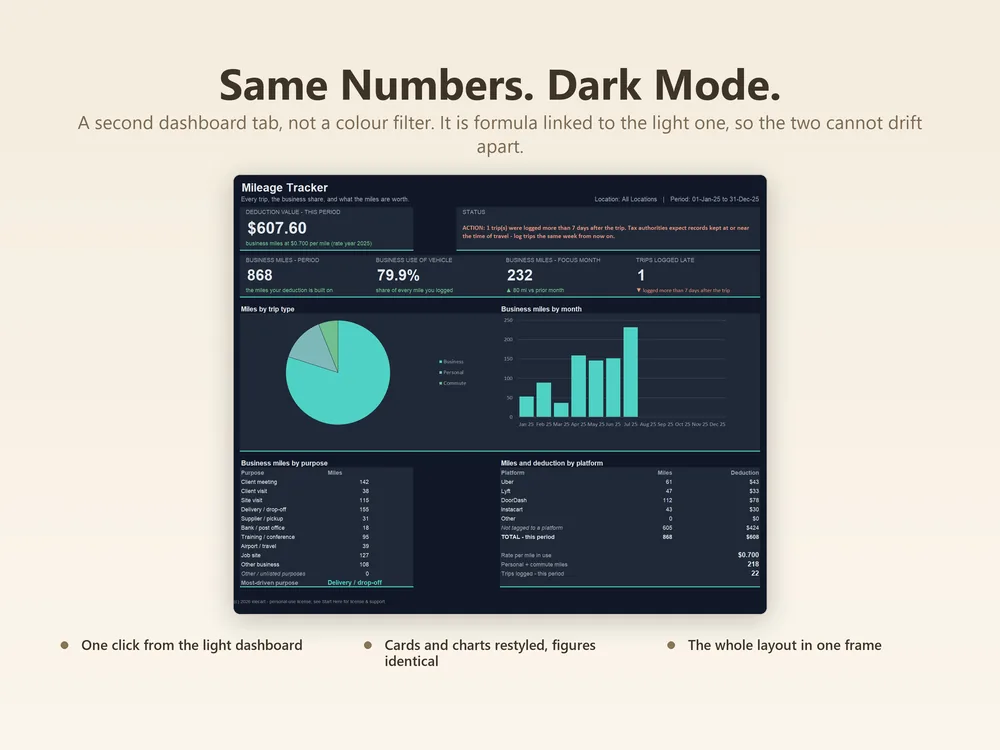
- Dashboard (Dark) The same dashboard in a dark theme, for screens that are easier on the eyes at night.
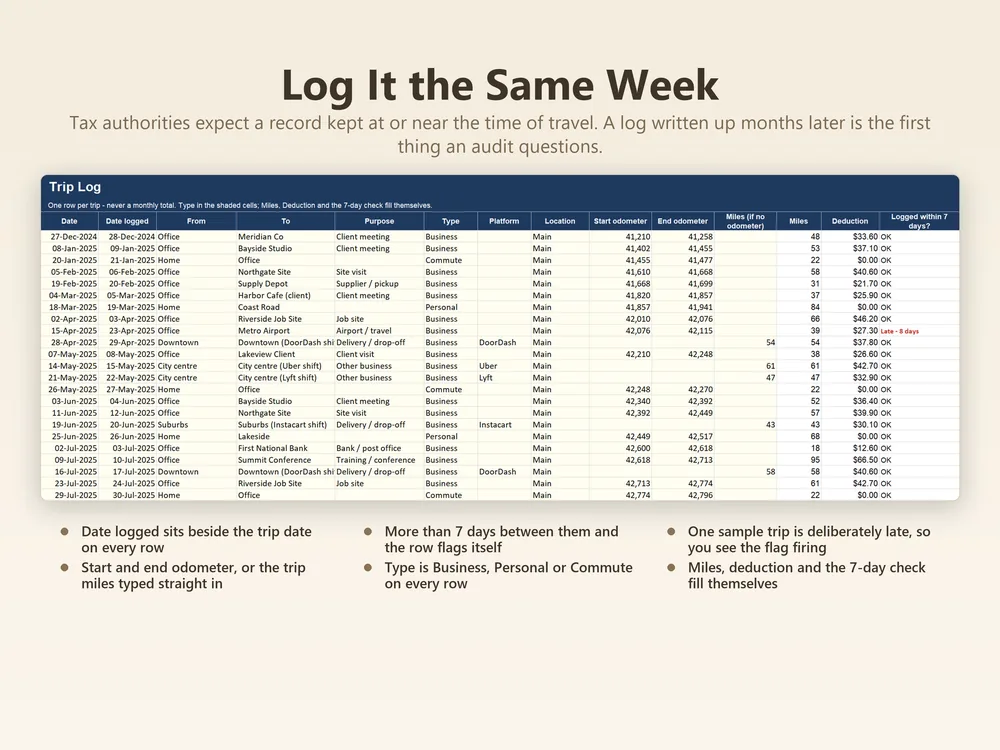
- Trip Log Date, from, to, purpose, type, platform, location and odometer readings. Give it start and end odometer and the miles work themselves out, or type the miles directly.
Filed under tax & self-employed.
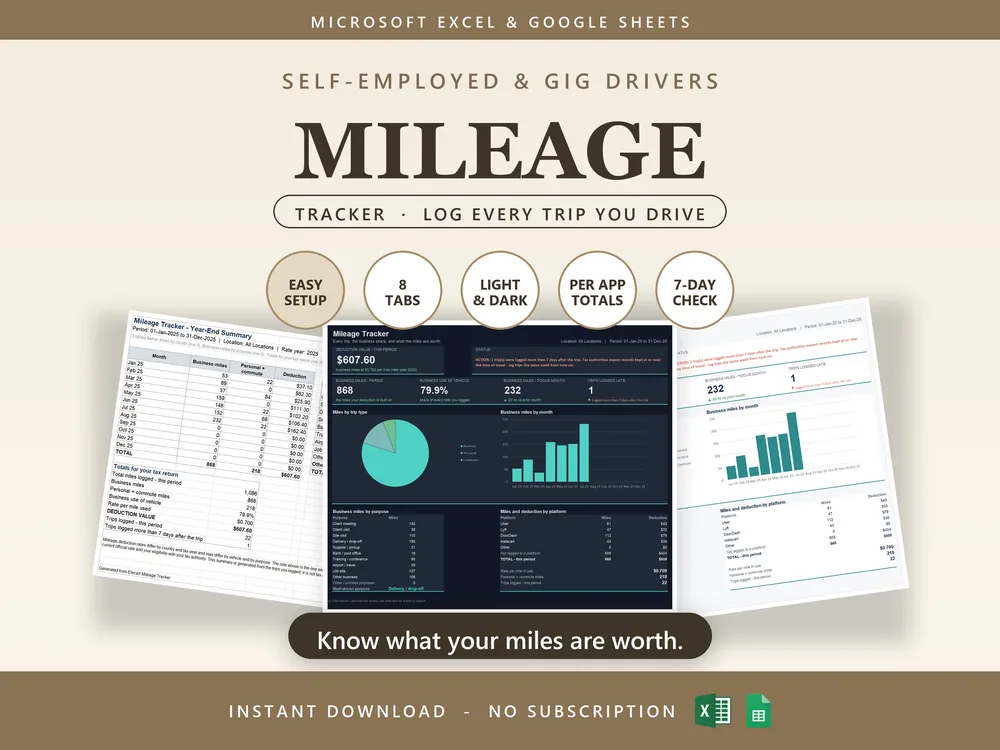
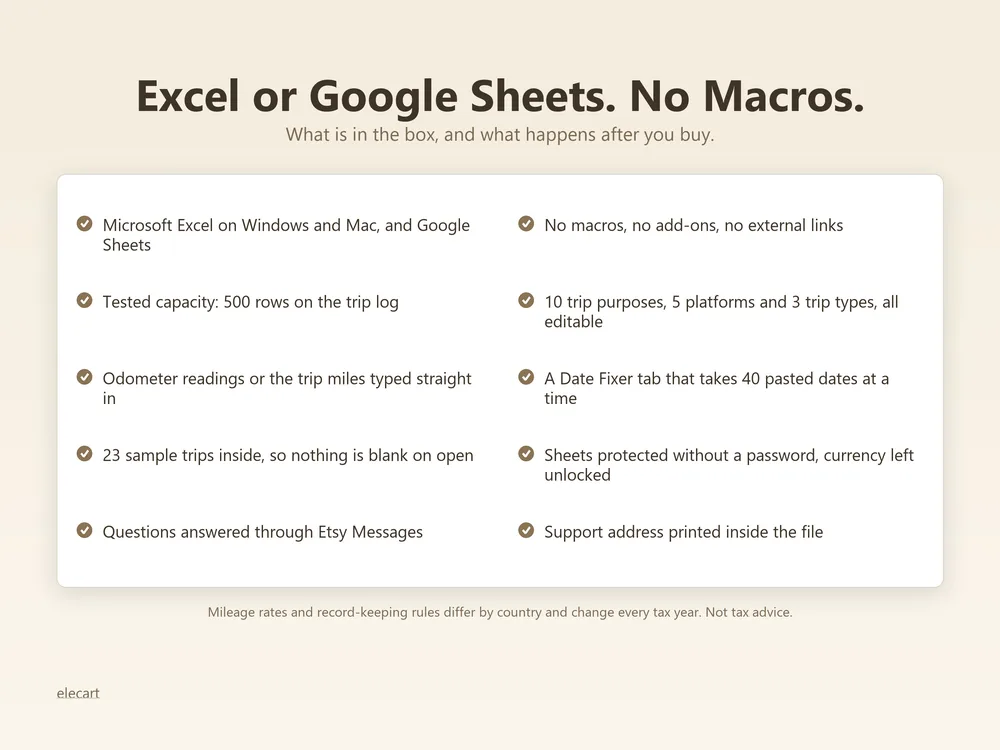
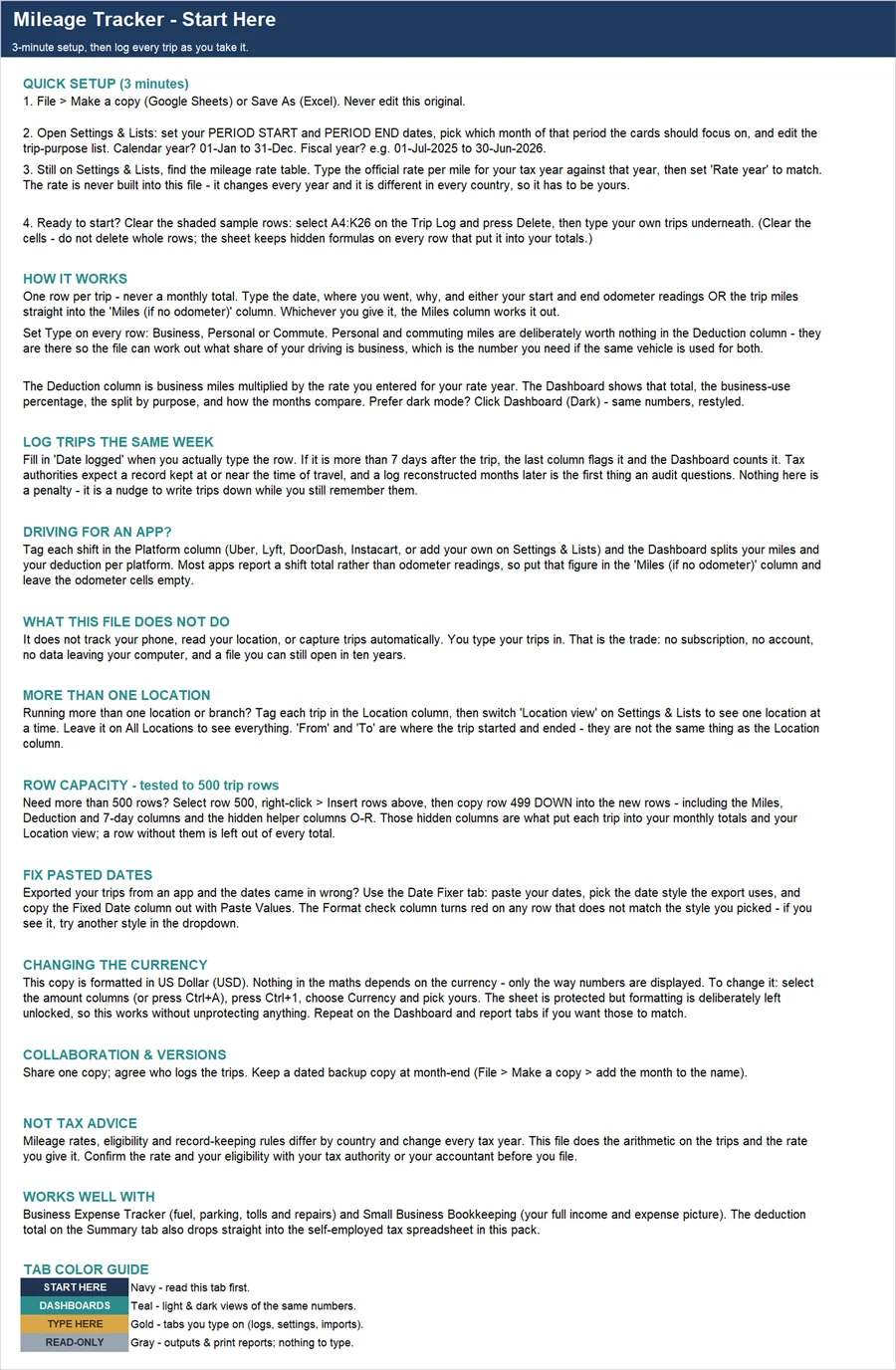
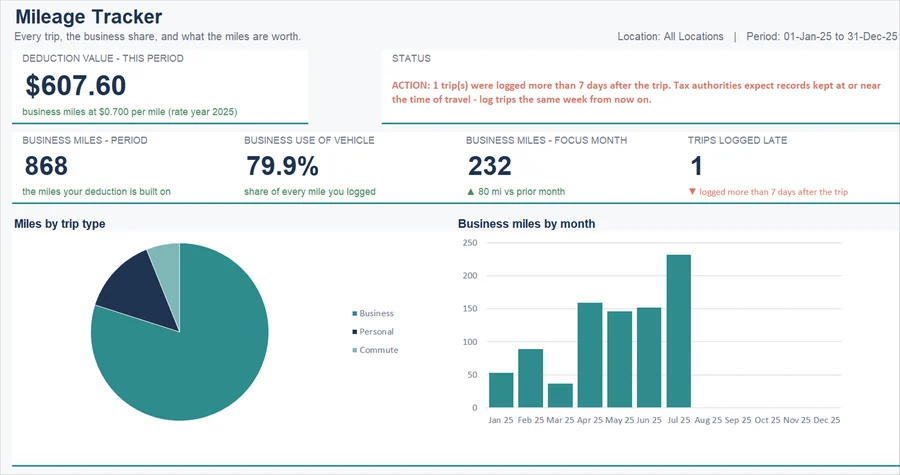
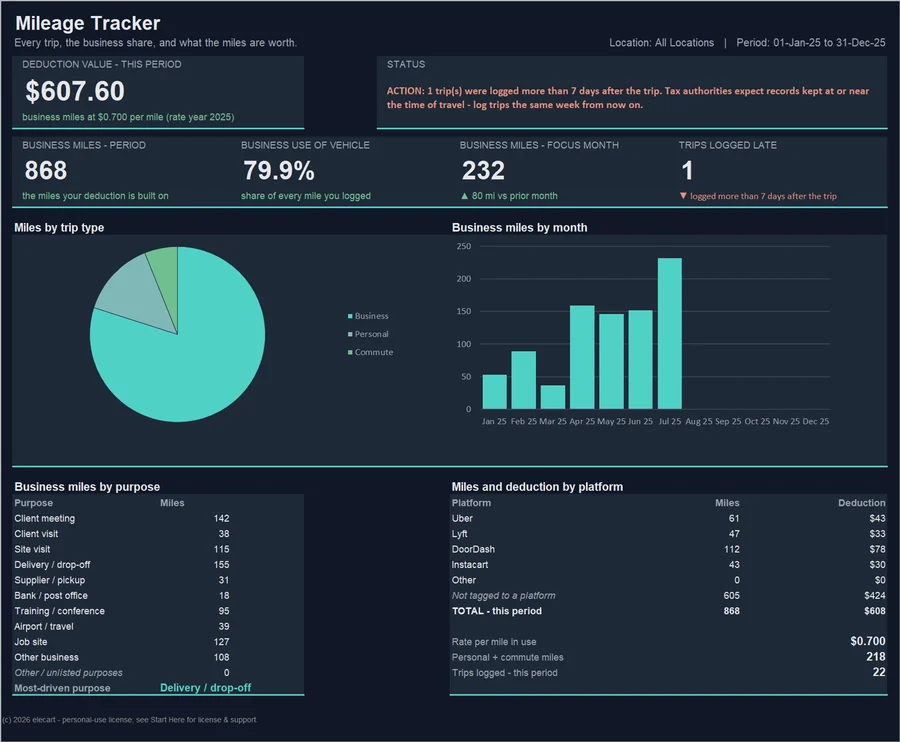
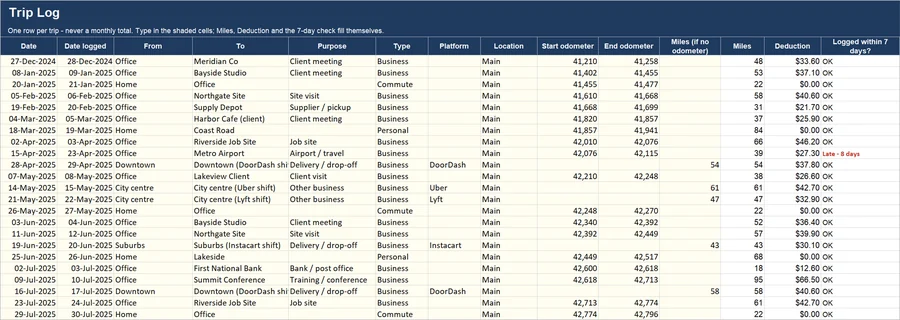
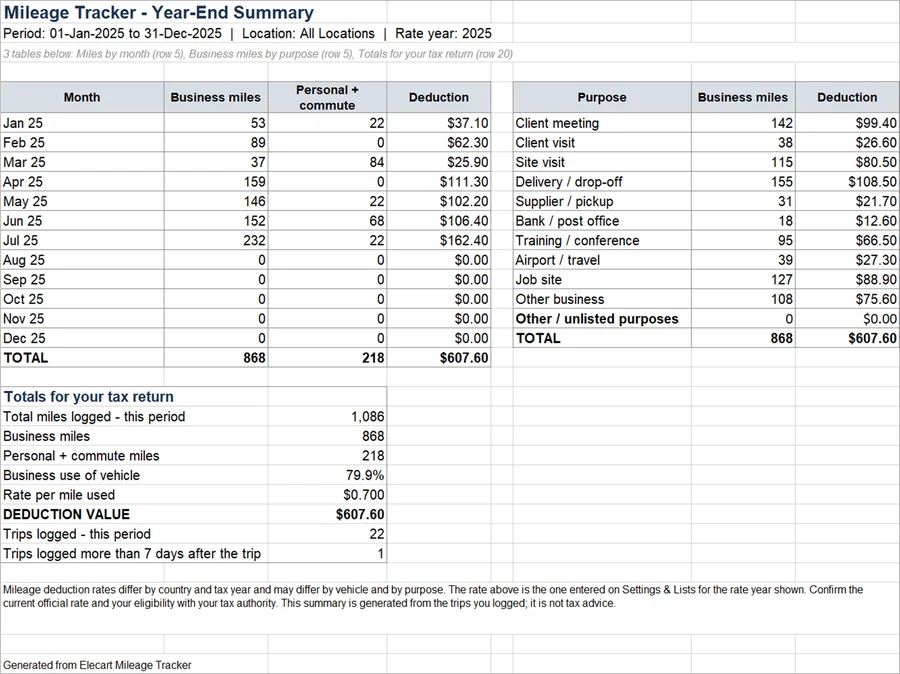
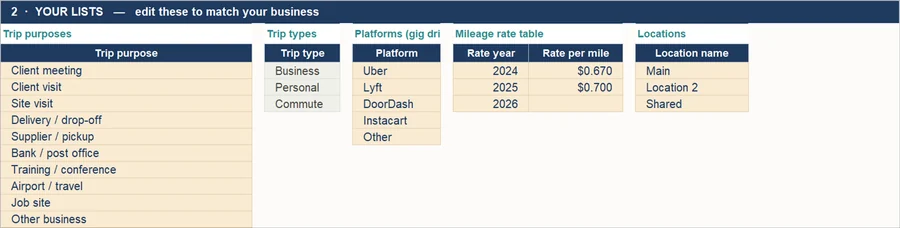
6 of the 8 tabs, exactly as they look in the file. Click a tab to look inside.
Sound familiar?
What's inside, tab by tab
You only ever type in the highlighted input cells. Everything else is calculated from what you type.
| Tab | What you do | What it does |
|---|---|---|
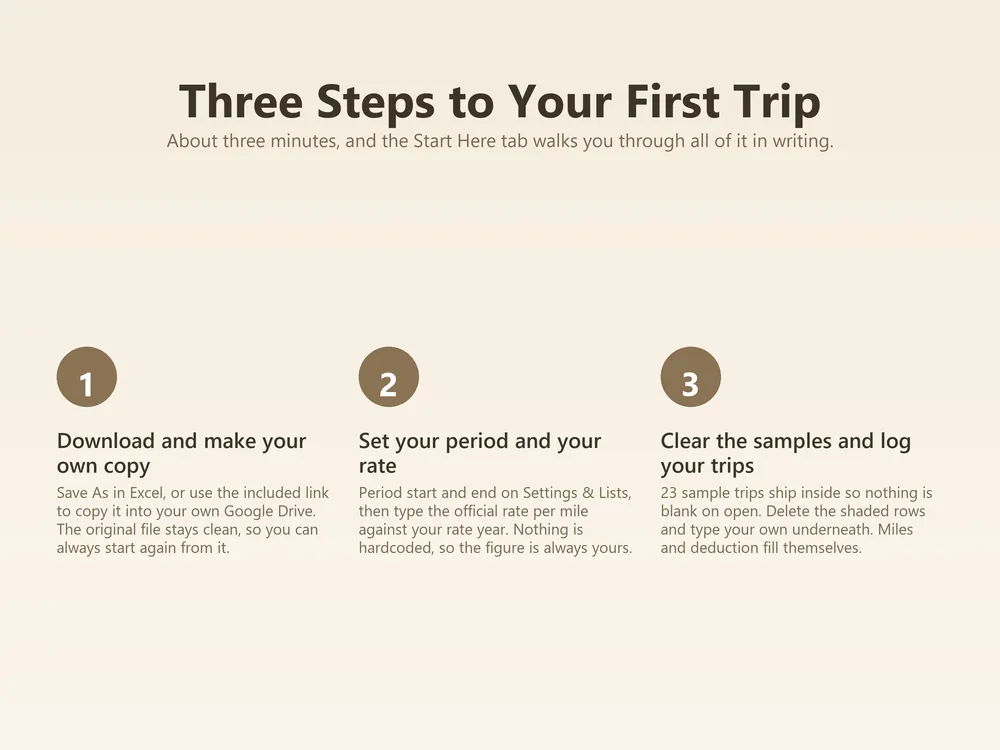
| Tab 1Start Here | Set once, never again | A one-page setup guide inside the workbook. Enter your basics once, in about 5 to 10 minutes. |
| Tab 2Dashboard | Calculated for you | Business miles for the period, business use of the vehicle as a percentage, miles for the month you pick, and how many trips were logged late. |
| Tab 3Dashboard (Dark) | Calculated for you | The same dashboard in a dark theme, for screens that are easier on the eyes at night. |
| Tab 4Trip Log | You type here | Date, from, to, purpose, type, platform, location and odometer readings. Give it start and end odometer and the miles work themselves out, or type the miles directly. |
| Tab 5Mobile Summary | Calculated for you | A stripped-back view that stays readable on a phone, for checking totals when you are away from a desk. |
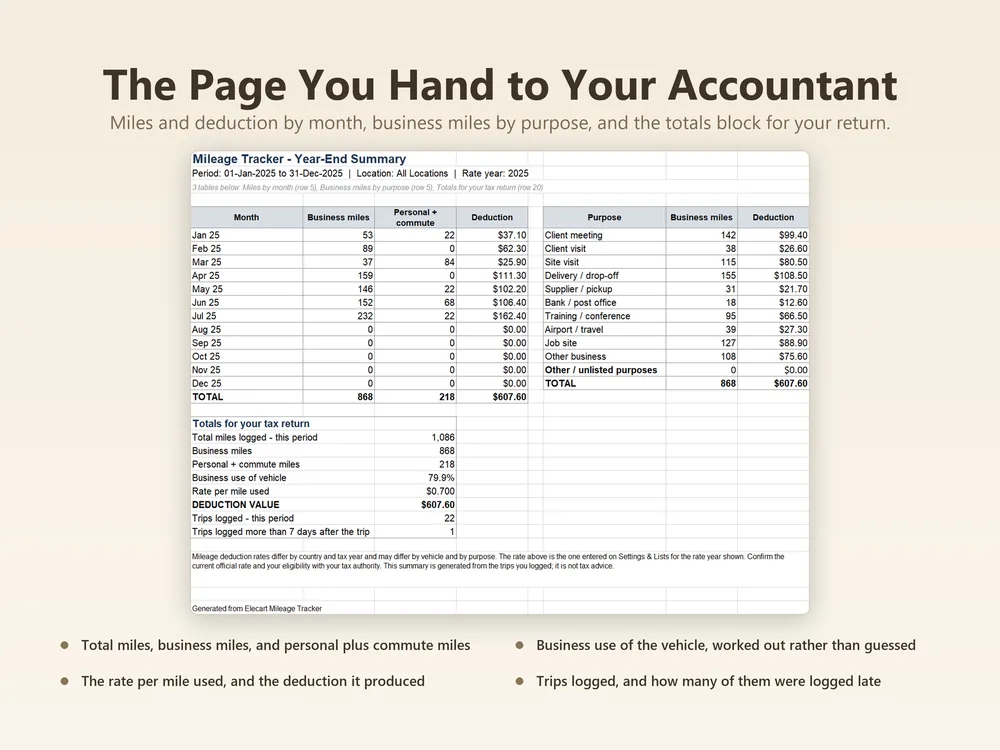
| Tab 6Summary | Calculated for you | Business miles, personal and commute miles, and the deduction, by month and by purpose. |
| Tab 7Date Fixer | You type here | Paste dates that came out of a bank export as text and it shows you which ones Excel has misread, then hands back clean ones. |
| Tab 8Settings & Lists | Set once, never again | The dropdown lists and defaults the rest of the workbook reads. Change them once and every sheet follows. |
Want one quick number first? The free mileage deduction calculator applies the IRS rate for each trip date. It runs in your browser, no sign-up.
Good to know
Two 2026 rates, each trip priced by its date
The IRS business rate changed partway through 2026: 72.5 cents a mile to 30 June and 76 cents from 1 July (IRS, Standard mileage rates, reviewed 28 July 2026). The rate table on Settings & Lists holds one row per rate with the date it starts, and every trip is priced at the rate in force on its own date. A log that runs across 1 July gets both rates, not one. When the rate changes again, add a row with the date it starts.
You do not need an odometer reading for every trip
IRS Publication 463 asks a car record to show the mileage for each business use and the total miles for the year. Odometer columns appear only in the IRS sample log, which it marks as not an official form. The Trip Log takes either one: type start and end odometer, or type the trip miles in the Miles (if no odometer) column. Reading the odometer on the first and last day of the year gives you the total.
Tolls and parking go on top of the mileage rate
Tolls and parking are not part of the mileage rate. IRS Publication 463 says that in addition to the standard mileage rate, you can deduct business-related parking fees and tolls. Parking at your regular place of work is commuting and does not count. This tracker records miles and their deduction. Parking and tolls belong with your other costs, in the Business Expense Tracker, so they are claimed once and in the right place.
It shows which trips were written up late
IRS Publication 463 says a record should be made at or near the time of the trip. The Trip Log has a Date logged column beside the trip date. When the two are more than seven days apart, that row is flagged Late, the dashboard counts it, and the status card says how many. You see which rows need attention while the trip is still fresh enough to check.
Built like software, priced like a spreadsheet
Enter your data; totals, flags and the dashboard update instantly.
Checked cell by cell before release. Find one and we will fix it.
Formula cells are protected. You can only type where typing is safe.
Both versions in every purchase. No converting, no broken references.
Clean report pages for your records, your accountant, or your next meeting.
Delivered by Etsy the moment you pay. Free updates to this template forever.
How it works
Secure checkout through Etsy, no account needed here.
The Excel file and the Google Sheets link arrive immediately.
Type into the highlighted cells and every total is calculated from what you typed.
Questions, answered
Do I need a paid Excel version?
Any desktop Excel from 2016 onward works, including Microsoft 365. If you don’t have Excel at all, use the included Google Sheets version. It’s free.
Does it fully work in Google Sheets?
Yes. The Google Sheets version is made from the same file as the Excel one and checked in Google Sheets before release. Every formula uses functions that work the same in both.
Is this a one-time purchase?
Yes. One payment, no subscription. You keep the files forever and get free updates to this template.
What does it not do?
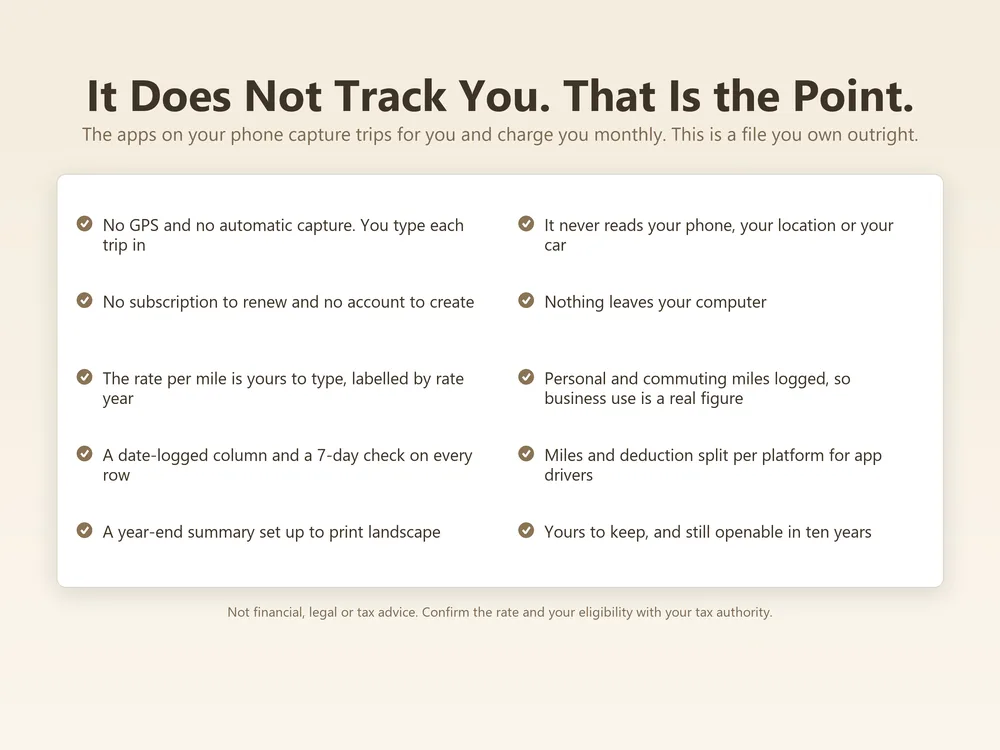
It does not track your phone, read your location or capture trips automatically. You type your trips in, which is why there is no account and we never see your trips.
What’s the refund policy?
Refunds follow Etsy’s rules for digital downloads. If a template doesn’t work as described, email support@elecart.us and we will fix it.
What if I get stuck?
Email support@elecart.us and the person who built the template answers, usually within one business day. Etsy Messages works too.
How much data can it handle?
Input tabs are sized generously and tested with full sample data: enough for years of typical use. Need more room? Duplicate the file per year, or email support for an extended version.
Every business mile, logged and deduction-ready.
$2.81, once, 70% off until Nov 28. Yours forever, with free updates.
Get it on Etsy →Also in Small Business