Employee Attendance and PTO Tracker
PTO balances that are right, without the spreadsheet fights.
For small employers tracking vacation in their heads, where every request starts a debate about days remaining.
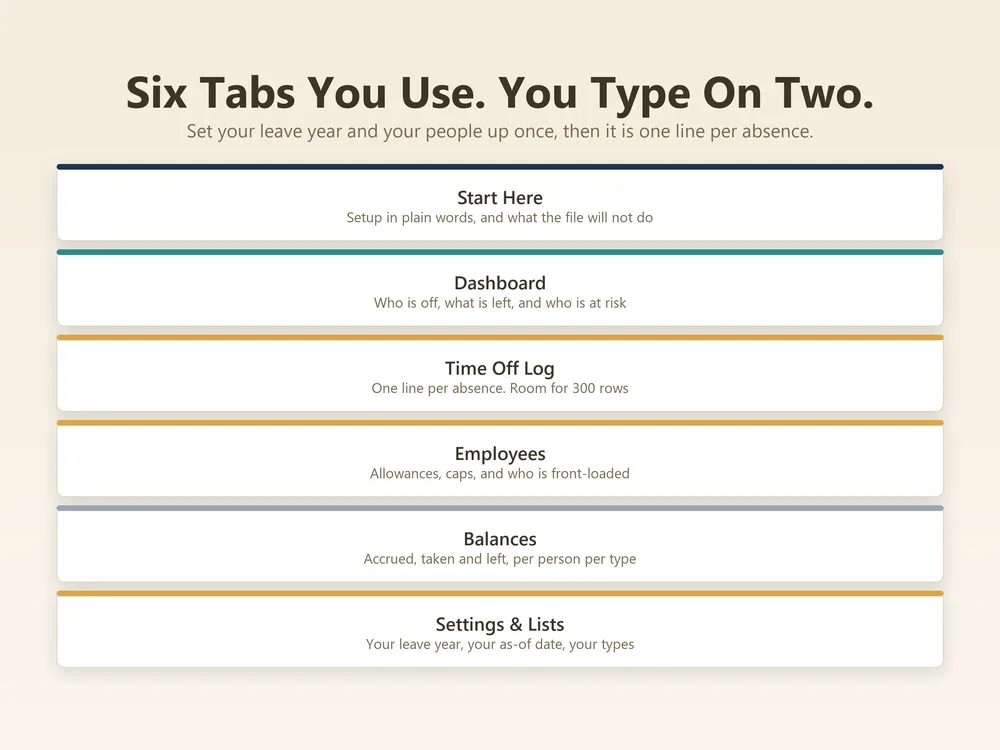
Employee Attendance and PTO Tracker is a 6-tab Excel and Google Sheets workbook. 2 you type into, 2 calculated from those and 2 you set once. No macros, so it opens without a security warning.
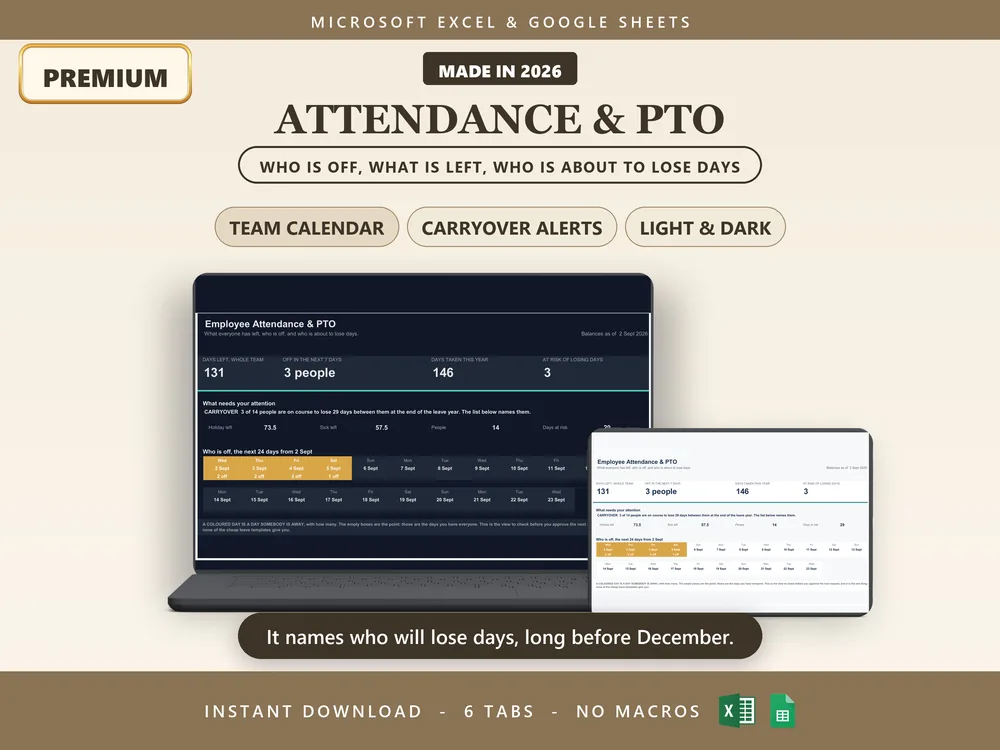
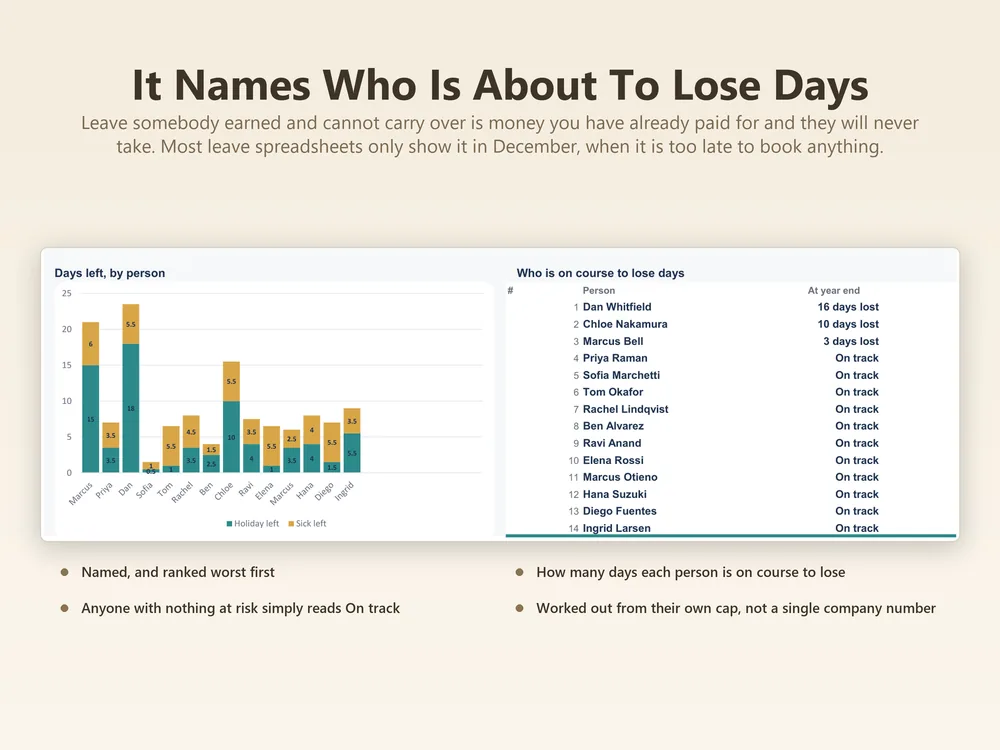
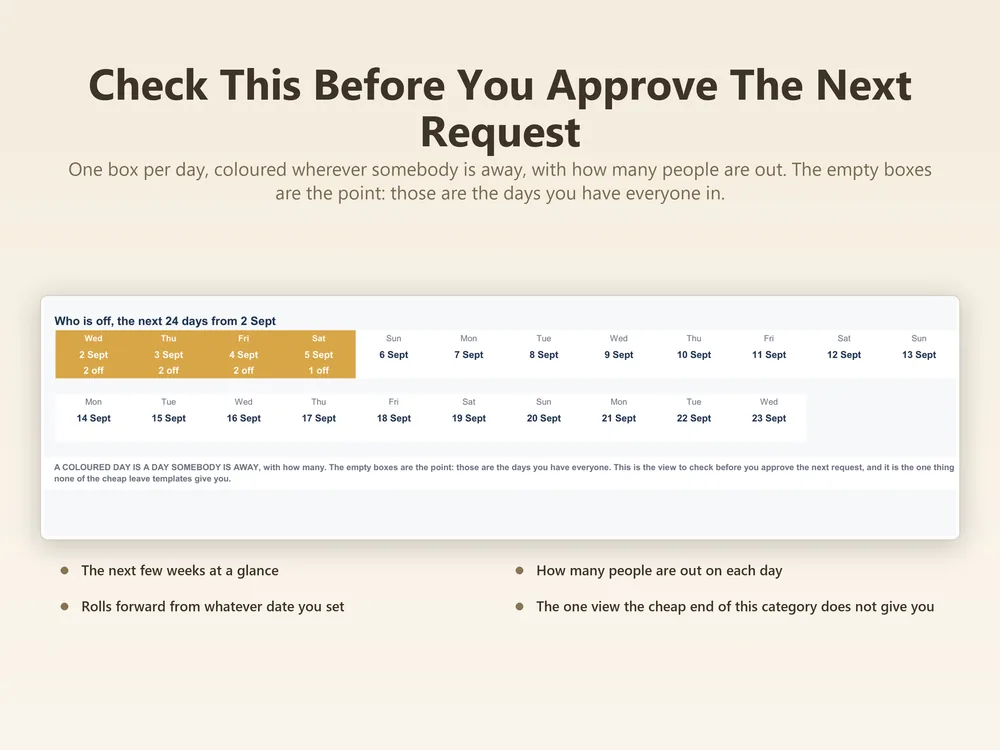
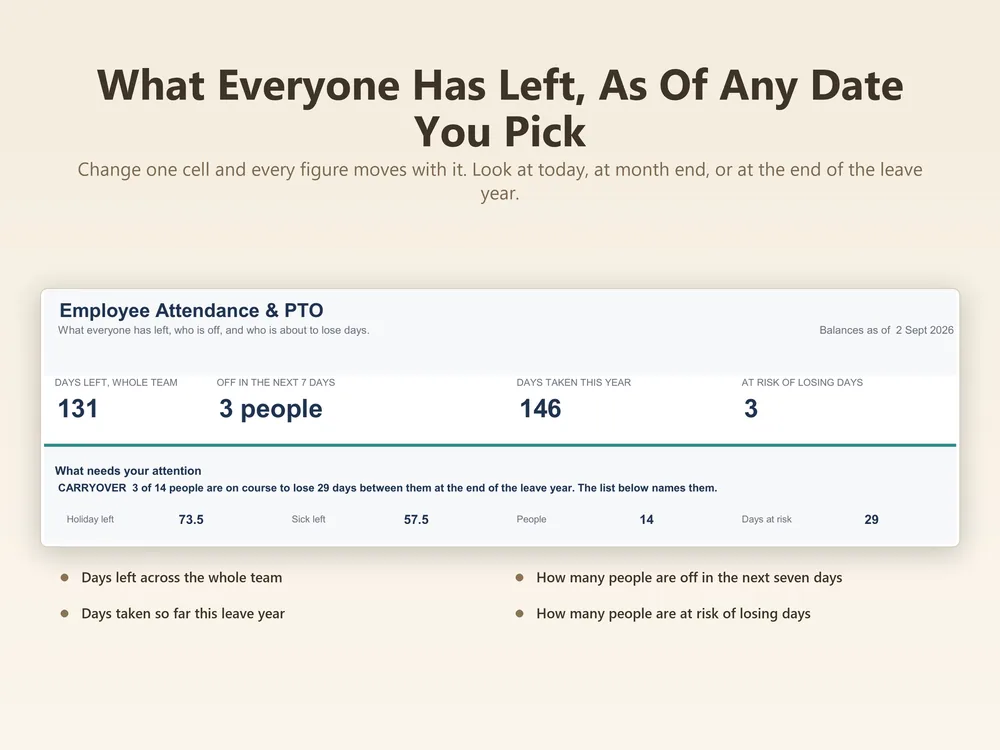
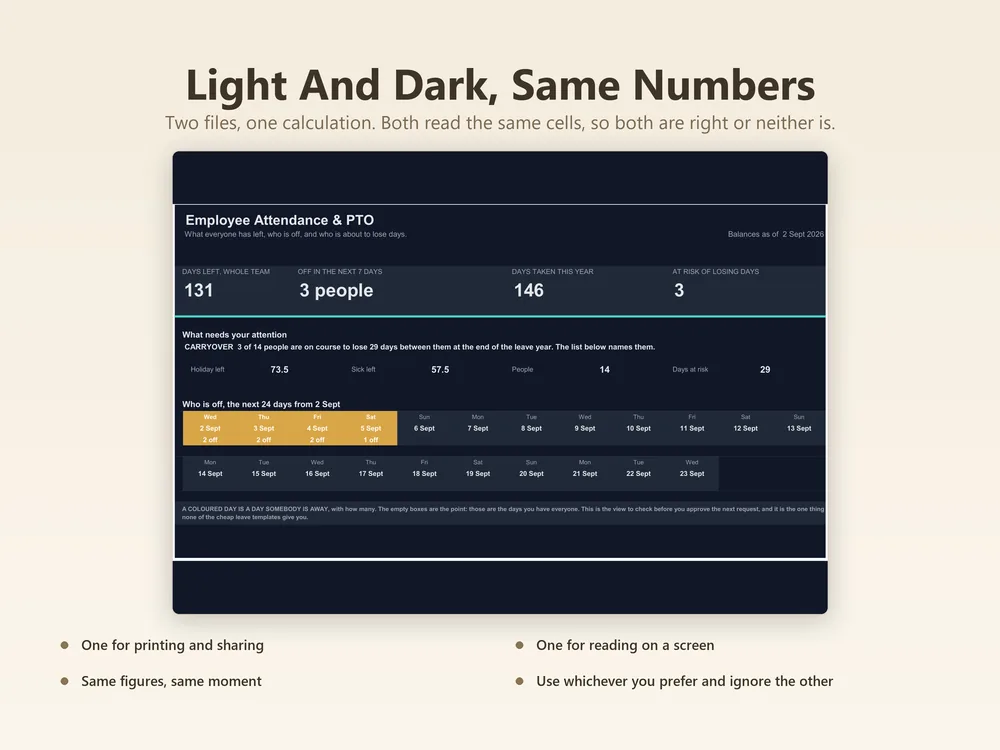
- Dashboard Days left across the whole team, who is off in the next seven days, days taken this year, and who is at risk of losing days.
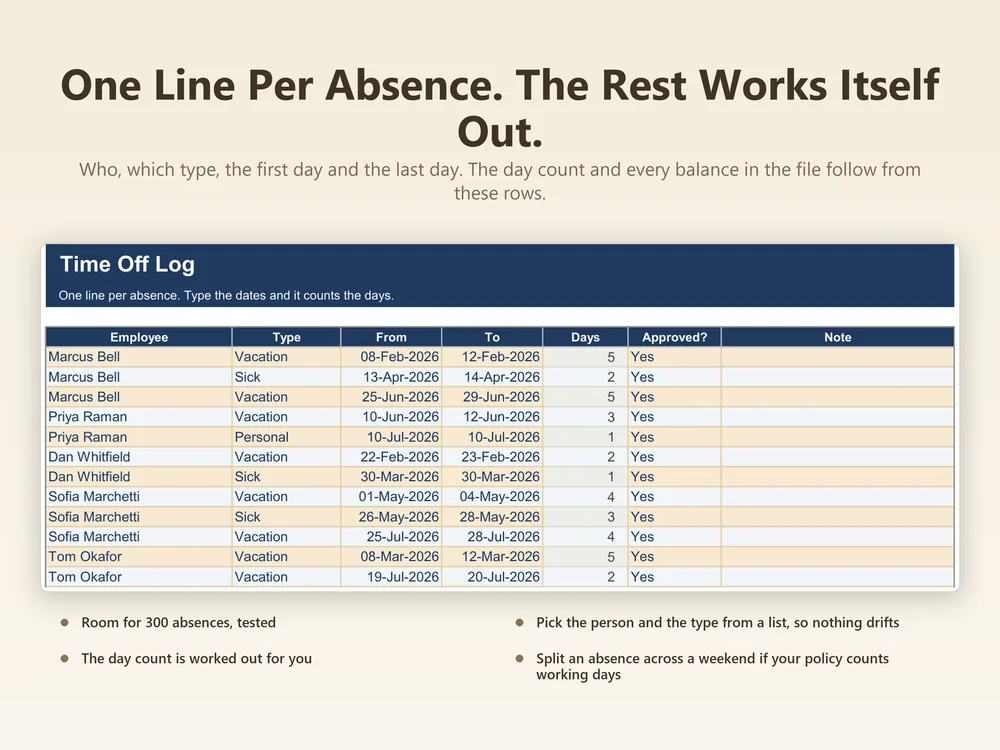
- Time Off Log Employee, type, from and to dates, whether it is approved, and a note. The day count works itself out.
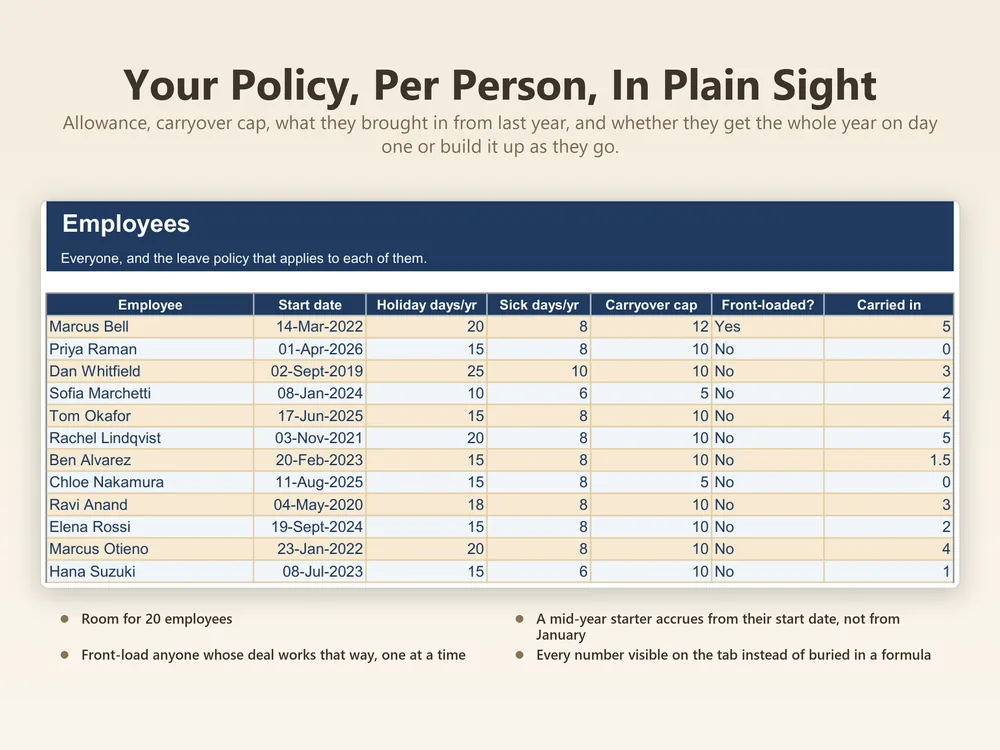
- Employees Employee, start date, holiday and sick days per year, carryover cap, whether leave is front-loaded, and days carried in.
Filed under team & time.
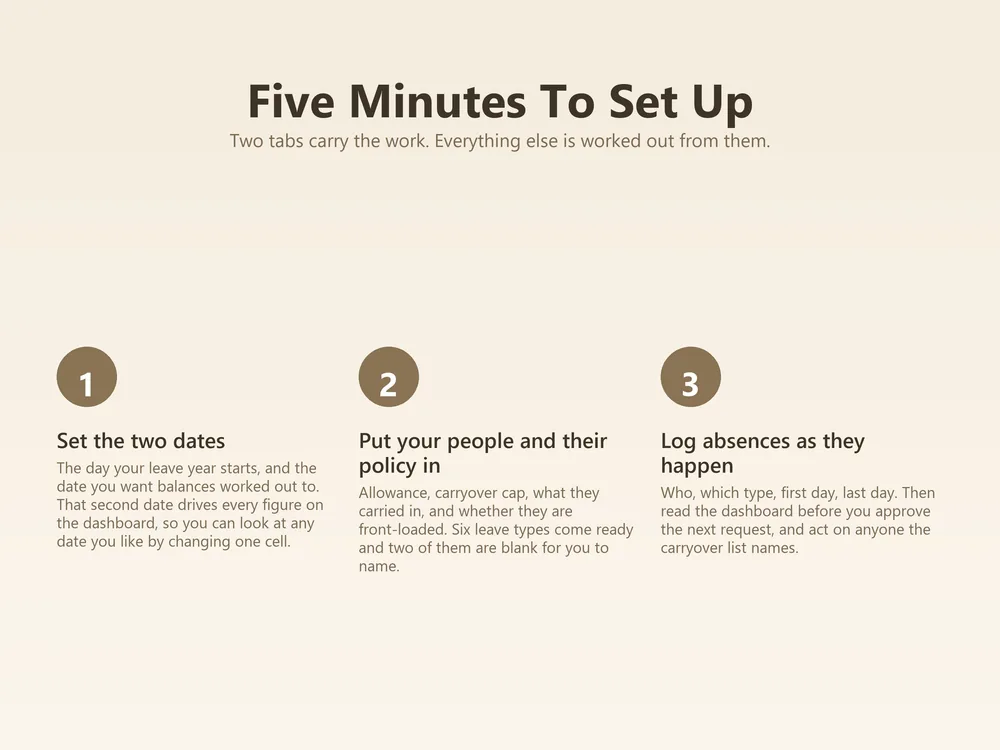
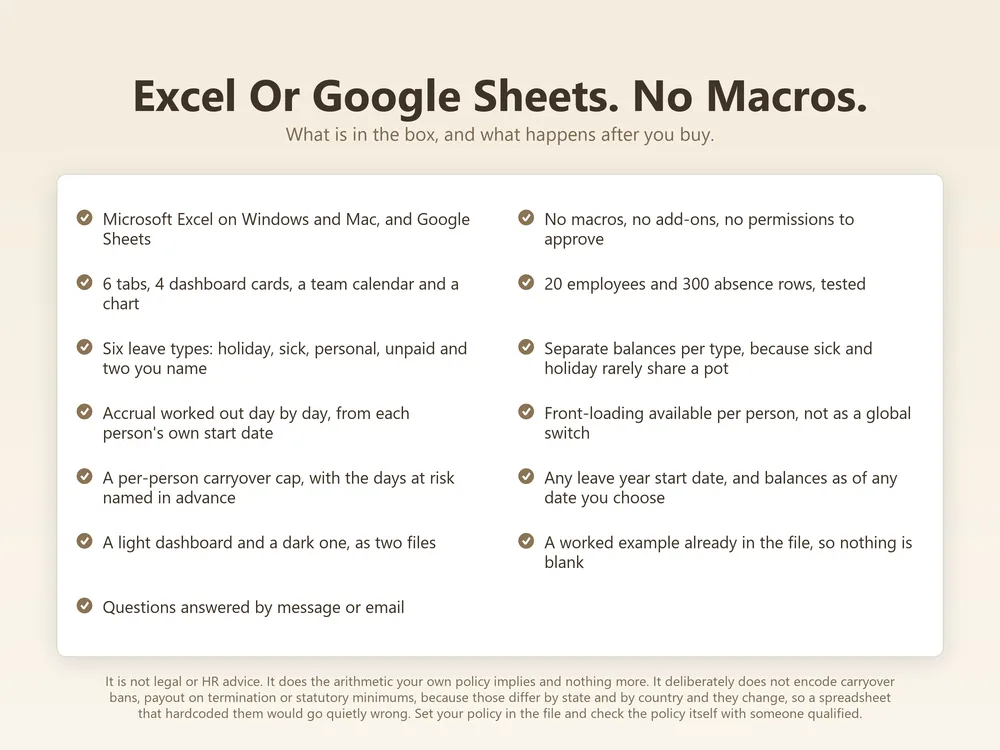
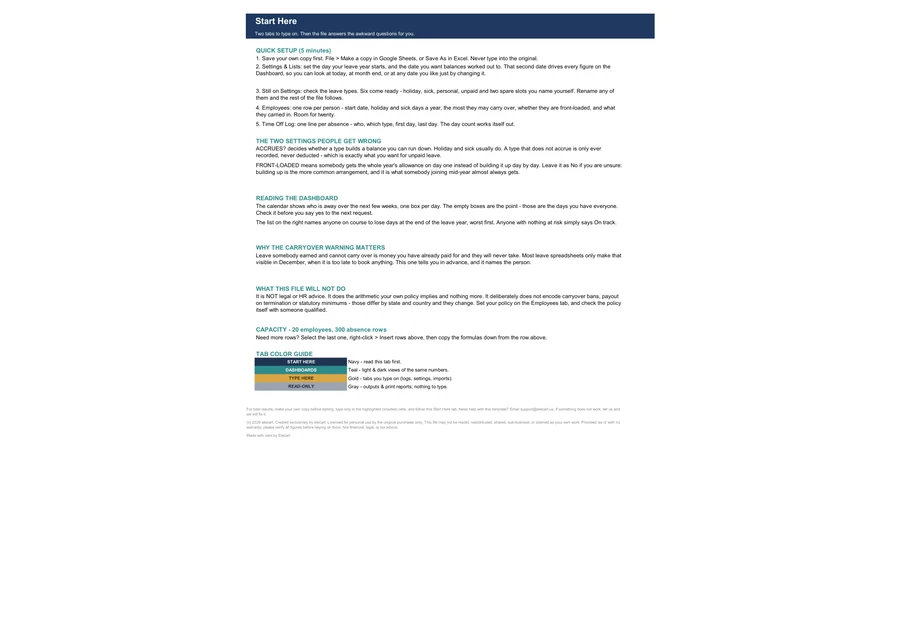
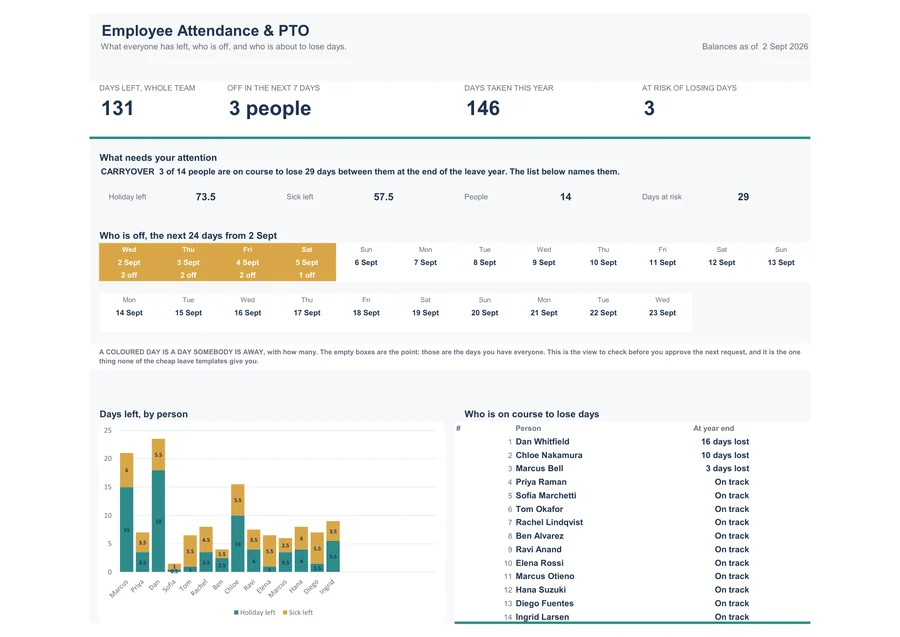
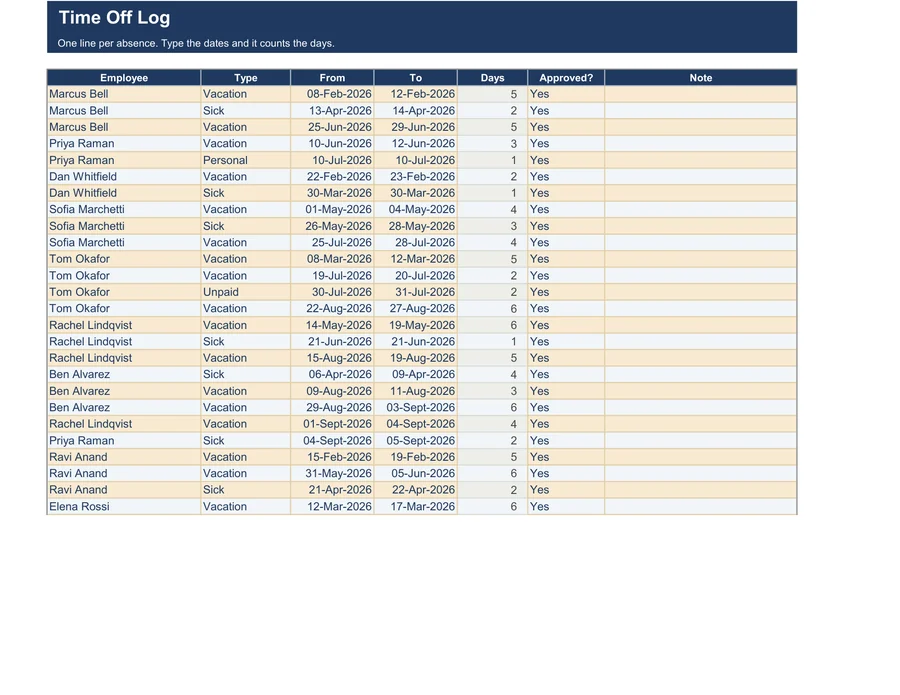
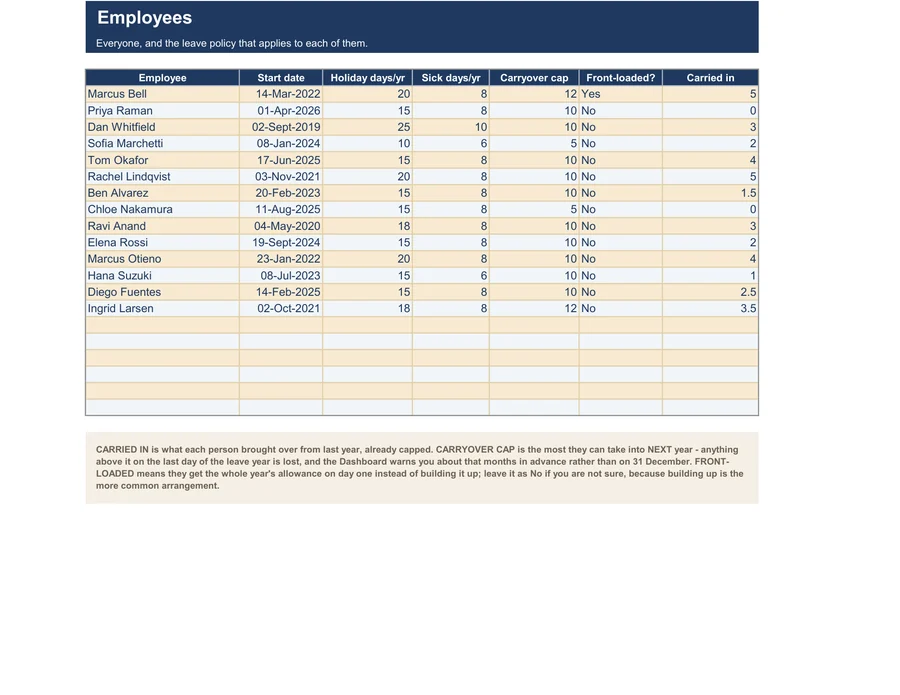
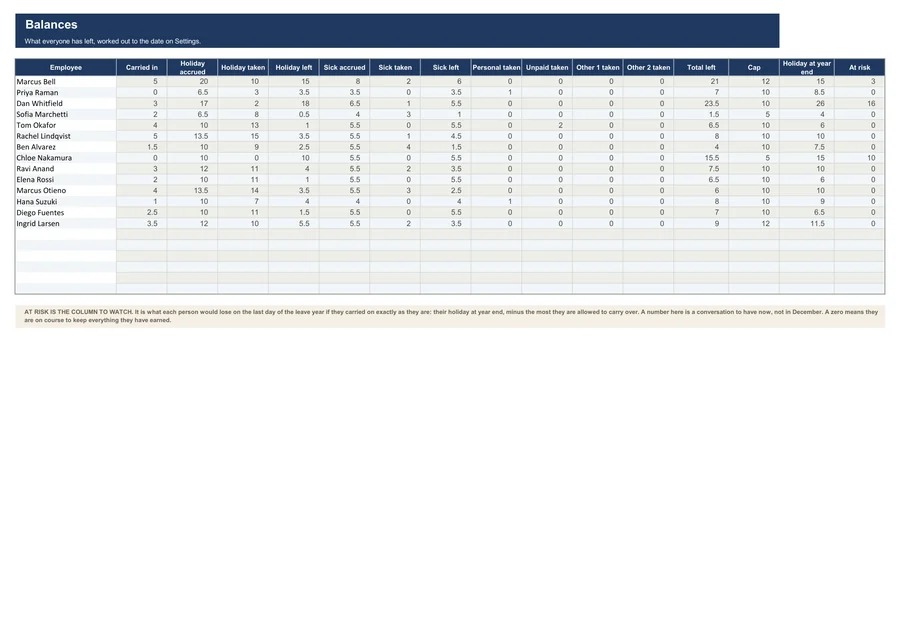
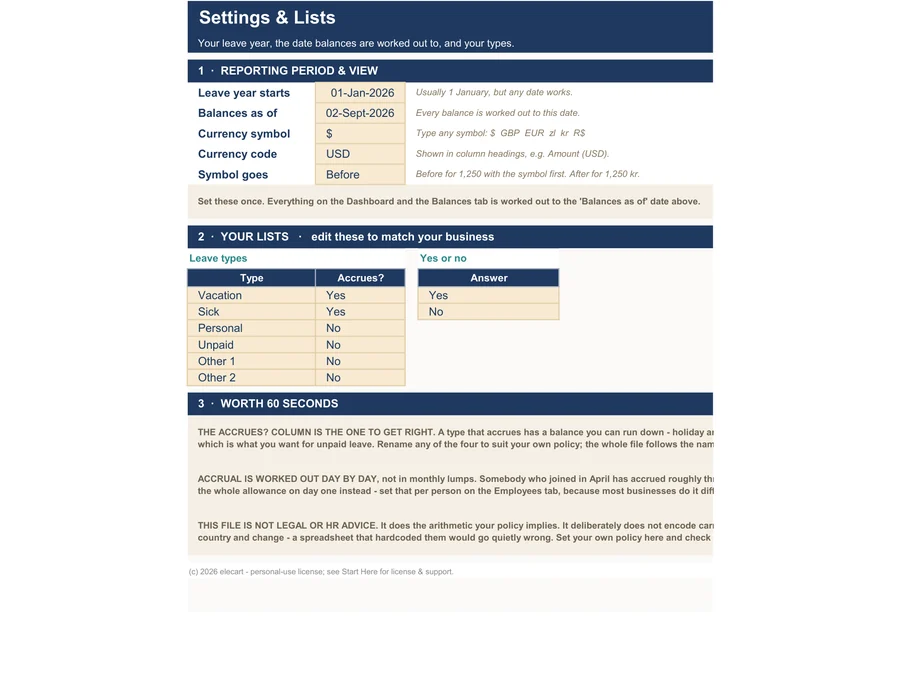
All 6 tabs, exactly as they look in the file. Click a tab to look inside.
Sound familiar?
What's inside, tab by tab
You only ever type in the highlighted input cells. Everything else is calculated from what you type.
| Tab | What you do | What it does |
|---|---|---|
| Tab 1Start Here | Set once, never again | A one-page setup guide inside the workbook. Enter your basics once, in about 5 to 10 minutes. |
| Tab 2Dashboard | Calculated for you | Days left across the whole team, who is off in the next seven days, days taken this year, and who is at risk of losing days. |
| Tab 3Time Off Log | You type here | Employee, type, from and to dates, whether it is approved, and a note. The day count works itself out. |
| Tab 4Employees | You type here | Employee, start date, holiday and sick days per year, carryover cap, whether leave is front-loaded, and days carried in. |
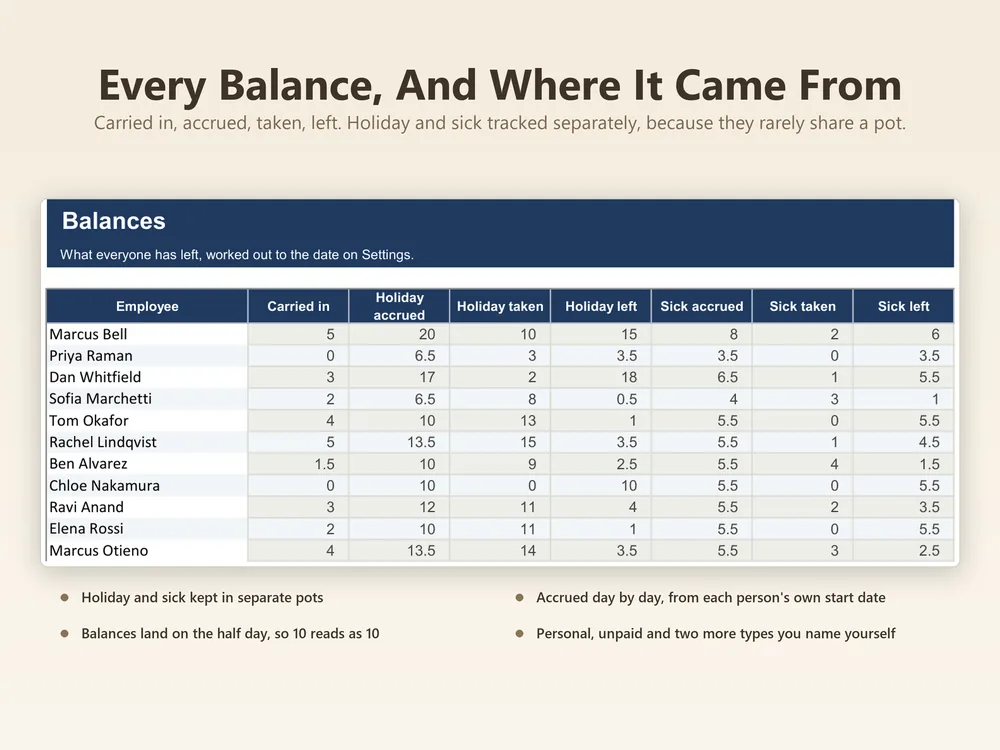
| Tab 5Balances | Calculated for you | Carried in, accrued, taken and left, for holiday and for sick, per employee. |
| Tab 6Settings & Lists | Set once, never again | When your leave year starts, plus the lists the rest of the workbook reads. |
Want one quick number first? Three free tools run in your browser, no sign-up: the PTO accrual calculator projects your time off balance and what a cap or carryover limit takes, the time card calculator adds up a week of shifts, breaks included, and the overtime calculator works out time and a half pay week by week.
Built like software, priced like a spreadsheet
Enter your data; totals, flags and the dashboard update instantly.
Checked cell by cell before release. Find one and we will fix it.
Formula cells are protected. You can only type where typing is safe.
Both versions in every purchase. No converting, no broken references.
Clean report pages for your records, your accountant, or your next meeting.
Delivered by Etsy the moment you pay. Free updates to this template forever.
How it works
Secure checkout through Etsy, no account needed here.
The Excel file and the Google Sheets link arrive immediately.
Type into the highlighted cells and every total is calculated from what you typed.
Questions, answered
Do I need a paid Excel version?
Any desktop Excel from 2016 onward works, including Microsoft 365. If you don’t have Excel at all, use the included Google Sheets version. It’s free.
Does it fully work in Google Sheets?
Yes. The Google Sheets version is made from the same file as the Excel one and checked in Google Sheets before release. Every formula uses functions that work the same in both.
Is this a one-time purchase?
Yes. One payment, no subscription. You keep the files forever and get free updates to this template.
What does it not do?
It does not build in carryover bans, payout on termination or legal minimums, because those differ by state and change. You set your own policy in the file. It is not legal or HR advice.
What’s the refund policy?
Refunds follow Etsy’s rules for digital downloads. If a template doesn’t work as described, email support@elecart.us and we will fix it.
What if I get stuck?
Email support@elecart.us and the person who built the template answers, usually within one business day. Etsy Messages works too.
How much data can it handle?
Input tabs are sized generously and tested with full sample data: enough for years of typical use. Need more room? Duplicate the file per year, or email support for an extended version.
PTO balances that are right, without the spreadsheet fights.
$3.29, once, 70% off until Nov 28. Yours forever, with free updates.
Get it on Etsy →